Clean Modeling and Drawing Workflow for SolidWorks Students

- Understanding the Assignment Beyond Just the Geometry
- Planning Your Feature Strategy Before Modeling
- Sketching Like a Professional (Not Like a Beginner)
- Parametric Modeling: Designing for Change
- Feature Accuracy in Wood-Style and Fabrication Assignments
- Working With Assemblies the Right Way
- Test movement where required
- Drawing Creation: Where Most Grades Are Actually Lost
- File Organization and Naming Conventions
- CAM Awareness Even When Not Required
- Common Mistakes That Cost Students the Most Marks
- Time Management for Heavy SolidWorks Assignments
- When and Why Students Seek External SolidWorks Support
- What Professors Actually Look for (Beyond Geometry)
- Final Pre-Submission Checklist
- Why This Workflow Matters for Your Career (Not Just Your Grade)
- Conclusion: Solve Smarter, Not Harder
SolidWorks assignments at the university level are no longer limited to basic extrudes and revolves. Today, students are expected to model components that closely resemble real manufacturing and production parts—from furniture panels and cabinetry structures to mechanical frames, sheet metal layouts, and fully detailed assemblies. These assignments are intentionally designed to test more than just your command over features. They evaluate your design thinking, modeling strategy, dimensional accuracy, file organization, parametric control, and overall manufacturability awareness. This is exactly why many students actively search for reliable 3D Modeling Assignment Help when project complexity begins to match real industry expectations. This guide walks you through a practical, step-by-step workflow for approaching and solving such SolidWorks assignments efficiently and confidently. Whether your task involves mechanical parts, wood-based components, parametric assemblies, or production-ready drawings, the methods discussed here mirror what professionals follow in real-world design environments—and what examiners expect to see in a high-quality student submission. And when deadlines tighten or workloads pile up, students often find themselves thinking, “Should I Do My SolidWorks assignment with expert guidance?”—not as a shortcut, but as a smarter way to learn professional-level workflows while protecting their grades.
Understanding the Assignment Beyond Just the Geometry
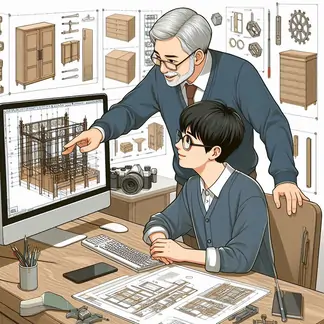
One of the biggest mistakes students make is jumping straight into sketching without deeply understanding the objective.
Most real-world SolidWorks assignments include:
- Multiple orthographic views
- Hidden dimension relationships
- Material specifications
- Assembly constraints
- And sometimes manufacturing intent (tight fits, joints, clearances, machining logic)
Before opening SolidWorks, do this:
Break the Assignment Into Three Layers:
- Geometric Requirements
- Functional Role
- Manufacturing Logic
What exact shapes, profiles, thicknesses, cutouts, drafts, or slots are defined?
Is this part load-bearing? Is it decorative? Is it sliding, rotating, or fixed?
Will this be machined, laser-cut, CNC-routed, bent, or assembled from panels?
This level of understanding is especially important for assignments that resemble woodworking, cabinetry, or product fabrication workflows, where joints, panel thicknesses, and edge conditions matter as much as shape.
Planning Your Feature Strategy Before Modeling
Every strong SolidWorks model starts with feature planning, not feature discovery. Instead of reacting while modeling, plan your approach:
Ask Yourself:
- What will be my base feature?
- Which features must remain editable via dimensions?
- Which details are dependent vs independent?
- Can this design be driven by global variables?
Typical Feature Order for Real Assignments:
- Base Sketch & Extrusion
- Primary Cut Features
- Secondary Slots, Grooves, or Pockets
- Chamfers & Fillets
- Patterns
- Reference Geometry
This planning becomes essential for assignments that simulate modular designs or production parts, such as furniture panels, framing components, or machined brackets.
Sketching Like a Professional (Not Like a Beginner)
Most grading penalties don’t come from wrong features—they come from bad sketches.
Professional Sketching Rules:
- Fully define every sketch
- Never leave blue geometry
- Use construction lines for symmetry
- Avoid redundant relations
- Keep sketches simple and purpose-driven
If your assignment includes joined panels, cutouts for fasteners, or repetitive grooves, failures usually start here. A weak sketch multiplies errors in later features.
Parametric Modeling: Designing for Change
Many students think parametric modeling is optional—it is not. Modern SolidWorks assignments almost always require design intent.
Instead of hard-coding values everywhere:
- Use Global Variables
- Link sketch dimensions to expressions
- Control thickness, lengths, and spacing through equations
For example:
- Panel thickness
- Mortise depth
- Joint clearance
- Hole diameter vs fastener size
This approach is essential for assignments that resemble modular furniture systems, adjustable frames, or configurable enclosures, where one change should update the entire model logically.
Feature Accuracy in Wood-Style and Fabrication Assignments
When your assignment reflects woodworking, cabinet design, or hybrid manufacturing parts, feature discipline becomes even more important.
Typical Features That Must Be Precision-Handled:
- Slots and grooves
- Dado cuts
- Pocket cuts
- Counterbores for fasteners
- Edge chamfers for assembly clearance
- Panel rebates
- Flush mounting features
These features are often graded using:
- Feature tree structure
- Correct feature selection (not sketch tricks)
- Consistent dimensioning
- Proper end conditions
This is also where students commonly reach out for solidworks assignment help—not because the geometry is impossible, but because a poor feature order destroys downstream edits.
Working With Assemblies the Right Way
If your assignment includes multiple parts, you are expected to demonstrate assembly logic, not just positioning.
Correct Assembly Workflow:
- Fix only one base component
- Use mates—never arbitrary dragging
Apply:
- Coincident
- Concentric
- Width mates
- Distance mates
Test movement where required
When professors see floating components that move incorrectly, it signals shallow understanding—even if the model “looks right.”
For furniture-style layouts, framing systems, or mechanical housings, correct mating is part of the grade.
Drawing Creation: Where Most Grades Are Actually Lost
Students often spend days modeling and then lose marks in 10 minutes of sloppy drawings.
A Proper Drawing Must Include:
- Front, Top, Right views
- Isometric view
- Fully defined dimensions
- Correct tolerances
- Notes on material & finishing
- Centerlines
- Hidden lines where required
If your part resembles manufactured components, your drawing must look like a shop-floor ready document, not a classroom sketch.
File Organization and Naming Conventions
Markers and industry professionals review hundreds of files. They immediately notice:
- Poor file naming
- Missing revision numbers
- Broken references
- Disorganized feature trees
Good Practice:
- Base_Panel_v1.SLDPRT
- Frame_Assembly_v2.SLDASM
- Final_Drawing_RevA.SLDDRW
A clean file structure often influences grading bias in your favor—even before geometry is checked.
CAM Awareness Even When Not Required
Even if CNC programming is not part of your assignment, understanding how your model would be manufactured improves your design accuracy.
For example, the kind of workflows seen in cabinet design and woodworking environments involve:
- Automatic hardware placement
- Panel nesting
- CAM-ready contours
- Machining priorities
Students who understand this logic:
- Avoid impossible internal corners
- Apply correct cut depths
- Design joints that can actually be machined
This is why industry-oriented SolidWorks extensions exist for wood and fabrication workflows —and why your professor expects “manufacturable” geometry, not just visual correctness.
Common Mistakes That Cost Students the Most Marks
Here are the most frequent issues seen in SolidWorks assignment evaluations:
- Overusing fillets too early
- Under-defined sketches
- Wrong end conditions
- Patterning sketches instead of features
- Inconsistent units
- Poor drawing dimension placement
- Floating assembly parts
- Missing material definitions
- No real design intent
Even advanced students lose grades here.
Time Management for Heavy SolidWorks Assignments
Large modeling tasks are as much about time strategy as they are about design skill.
Recommended Order:
- 10–15% of time → Planning
- 40–50% → Core modeling
- 20% → Assemblies
- 15% → Drawings
- 5–10% → Review & corrections
Rushing directly into drawing space is one of the biggest submission-week disasters students face.
When and Why Students Seek External SolidWorks Support
Despite strong fundamentals, students often struggle when:
- Deadlines stack up across subjects
- Design logic becomes too complex
- Assembly constraints malfunction
- Drawings fail university standards
- Files crash due to bad feature build-ups
This is where professional solidworks assignment help platforms become academic lifesavers—not as shortcuts, but as learning accelerators.
The right support shows students:
- How professionals structure feature trees
- How parametric logic is truly applied
- How industry drawings differ from classroom sketches
- How production-driven modeling is executed
Used correctly, this support improves long-term skill, not just short-term grades.
What Professors Actually Look for (Beyond Geometry)
Most students assume grading is 100% based on shape accuracy. It is not.
Typical weighting includes:
- Modeling strategy
- Feature efficiency
- Parametric behavior
- Assembly logic
- Drawing professionalism
- File integrity
- Manufacturing realism
A visually identical model can receive very different grades depending on how it was built.
Final Pre-Submission Checklist
Before submitting any SolidWorks assignment, check:
- Are all sketches fully defined?
- Does modifying one key dimension update the model correctly?
- Do assemblies fully constrain as intended?
- Are all drawings readable without explanation?
- Are materials correctly applied?
- Are there unnecessary features bloating the tree?
- Does your design reflect how something would truly be produced?
Why This Workflow Matters for Your Career (Not Just Your Grade)
University SolidWorks assignments are not only about passing a subject. They shape:
- Your internship portfolio
- Your job interview samples
- Your technical confidence
- Your manufacturing awareness
- Your professional CAD discipline
Students who adopt structured workflows early:
- Model faster
- Debug quicker
- Communicate designs better
- Perform better in real engineering roles
Conclusion: Solve Smarter, Not Harder
Solving high-level SolidWorks assignments is not about knowing more commands—it’s about thinking like a designer, planner, and manufacturer at the same time.
When you:
- Analyze the task properly
- Plan your features intelligently
- Model parametrically
- Assemble logically
- Draw professionally
- And review like an engineer
—you consistently outperform those who only “know the tools.”
And when time pressure or workload becomes overwhelming, seeking expert, ethical solidworks assignment help is a smart decision—not a failure—because learning from professional workflows is exactly how great designers are made.